


Minto is a free macOS menu bar app for Claude Code, Codex and Cursor. It shows what you've spent today, how much of your plan is left, and where the money went, by model and by project.
What it shows
Claude Code, Codex and Cursor
One switch at the top of the panel moves between them. Claude Code and Codex usage is read from their logs on your Mac; Cursor's comes from your Cursor account once you sign in.
Today, and where it's heading
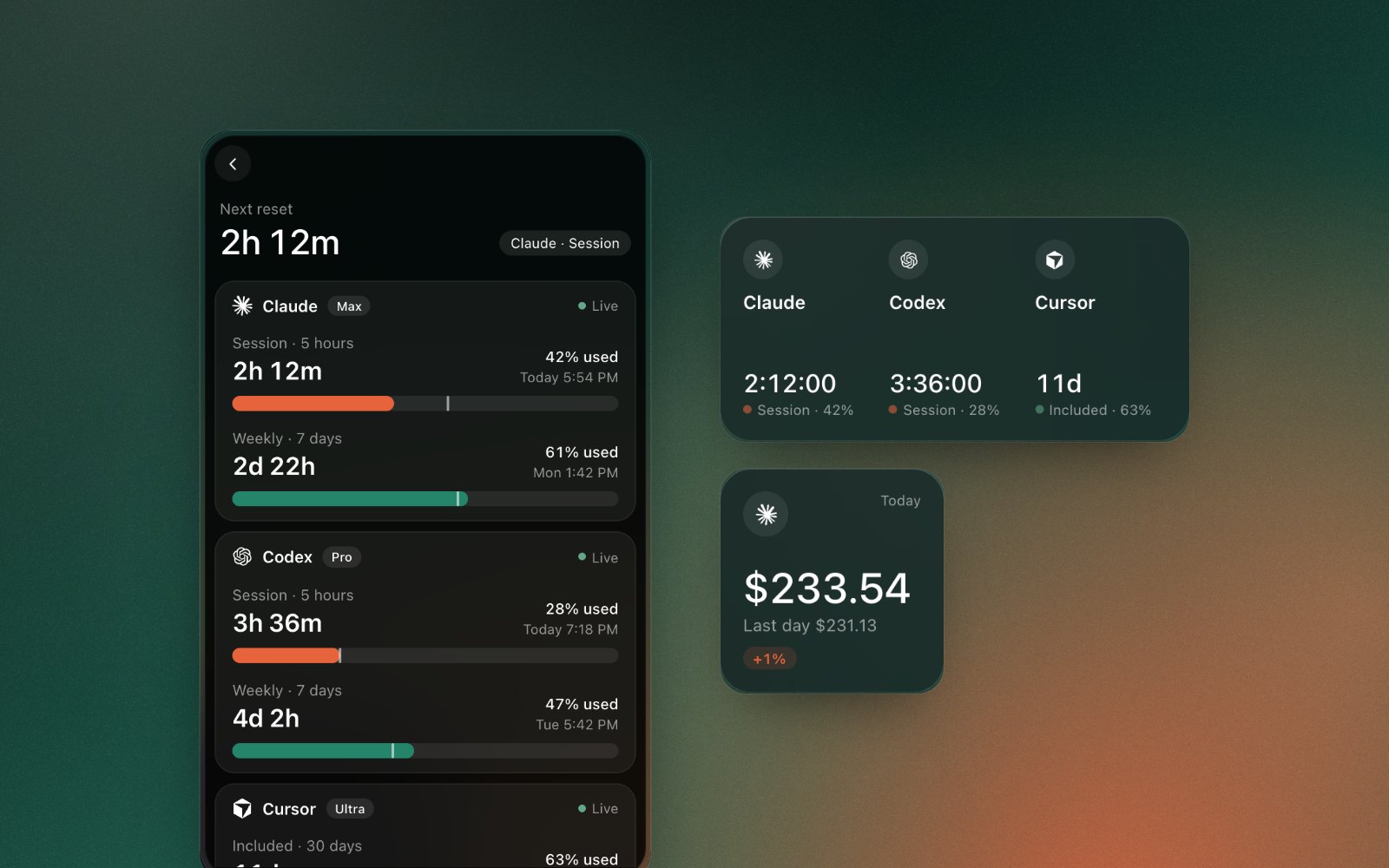
The panel opens on what you've spent today, against the last day you used the tool. Under it, today's running total is drawn against yesterday's at the same hour, with a forecast to midnight at today's pace. Switch to Week to see the last seven days against the seven before.

Your plan's limits
Claude's 5-hour session and weekly limits, Codex's session and weekly windows, and Cursor's included and on-demand usage each show how much is used and when they reset. The Limits page puts every tool on one screen, with a mark for how far through each window you are, so you can see when you're using it up faster than the window allows.
Where it went
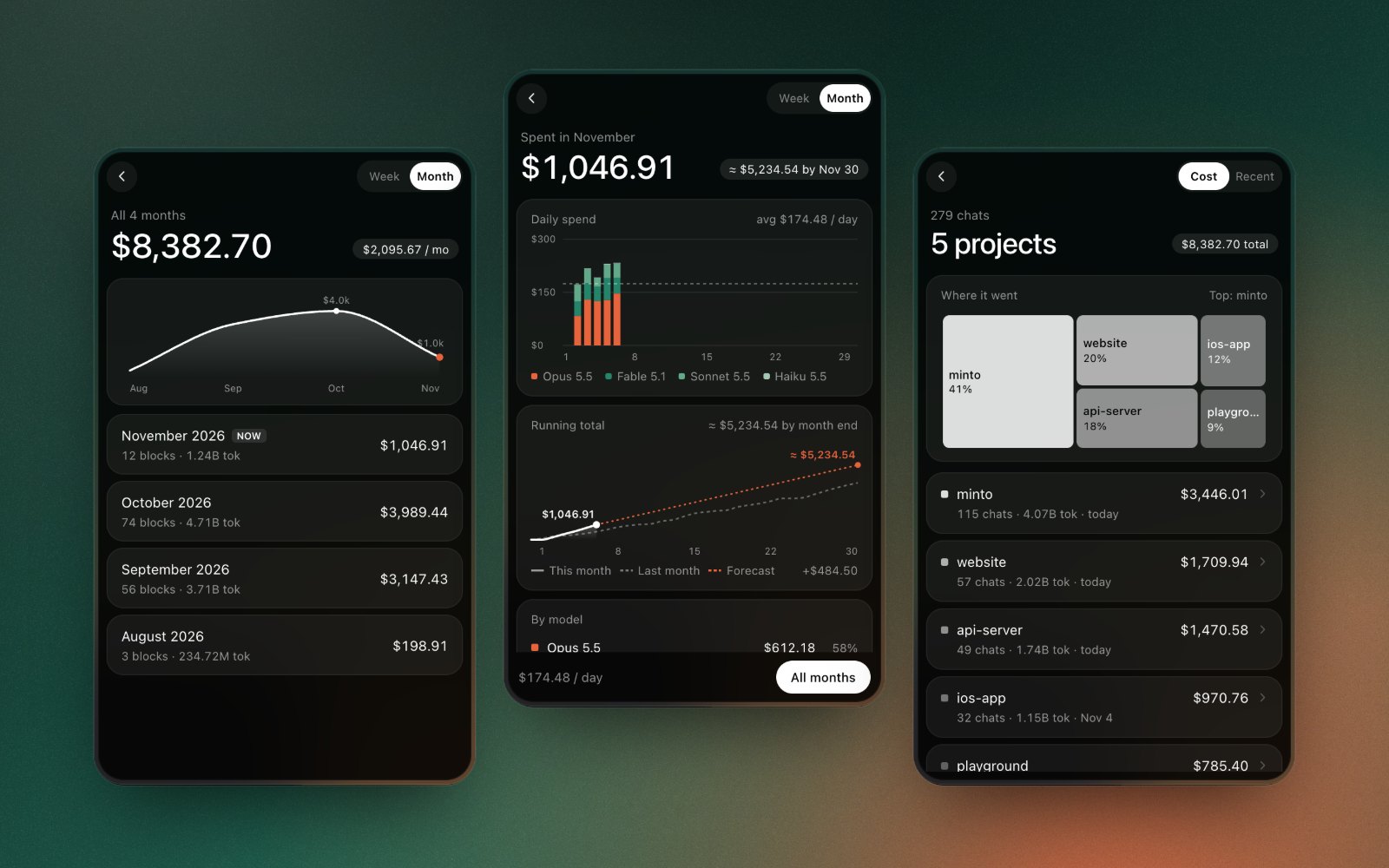
Breakdown shows the week or the month: spend per day split by model, the running total against last month with a forecast to month end, and what each model and project cost. History has every week and every month.
Projects, chats and blocks
Projects shows each working folder as a block sized by what it cost; open one to see its chats. Blocks lists Claude's 5-hour billing blocks, starting with the one you're in and how long it has left.
Widgets, and more in the menu bar
Five desktop widgets: Plan Limits, Today, This Month, Top Projects and Models. The menu bar item can show just the icon, today's cost, or today's cost with a ring. On Pro and Max the ring fills with the 5-hour session. On a verified Ultra account the ring shows the weekly limit.
Counted like ccusage
Minto counts tokens and cost for Claude Code and Codex the way ccusage does, and we test it against ccusage's own results. Prices come from LiteLLM's public price list. The numbers are estimates: your plan's billing is the final word.
Try it before you set it up
Choose Try Demo Data from the ⋯ menu to see every screen with made-up usage. The desktop at the top of this page runs the same kind of demo.
Private by design
No account and no tracking. Minto reads your Claude Code and Codex logs on your Mac and works everything out there. It goes online to download the price list. Signing in to Claude only reads the usage percentages. Cursor shows the usage Cursor reports for your account.
Minto needs macOS 14 or later.
Built with AI
Minto is built with Claude Code, with the design and UI work done by our team. It's an AI-built tool for keeping an eye on AI tools, and we use it every day on our own work.
Get Minto
Minto is free on the Mac App Store, with no ads and no tracking.
Support
Questions, bug reports, or feature ideas? Reach us at support@boringboring.design or in our Discord.