


Lume is a free macOS system monitor that lives in your menu bar. It shows processor, memory, GPU, disk, battery and network at a glance. Version 0.2.0 is the biggest update since launch. It still stays out of the way, but now it also tells you why your Mac feels the way it does.
What's new in 0.2.0
A daily health score
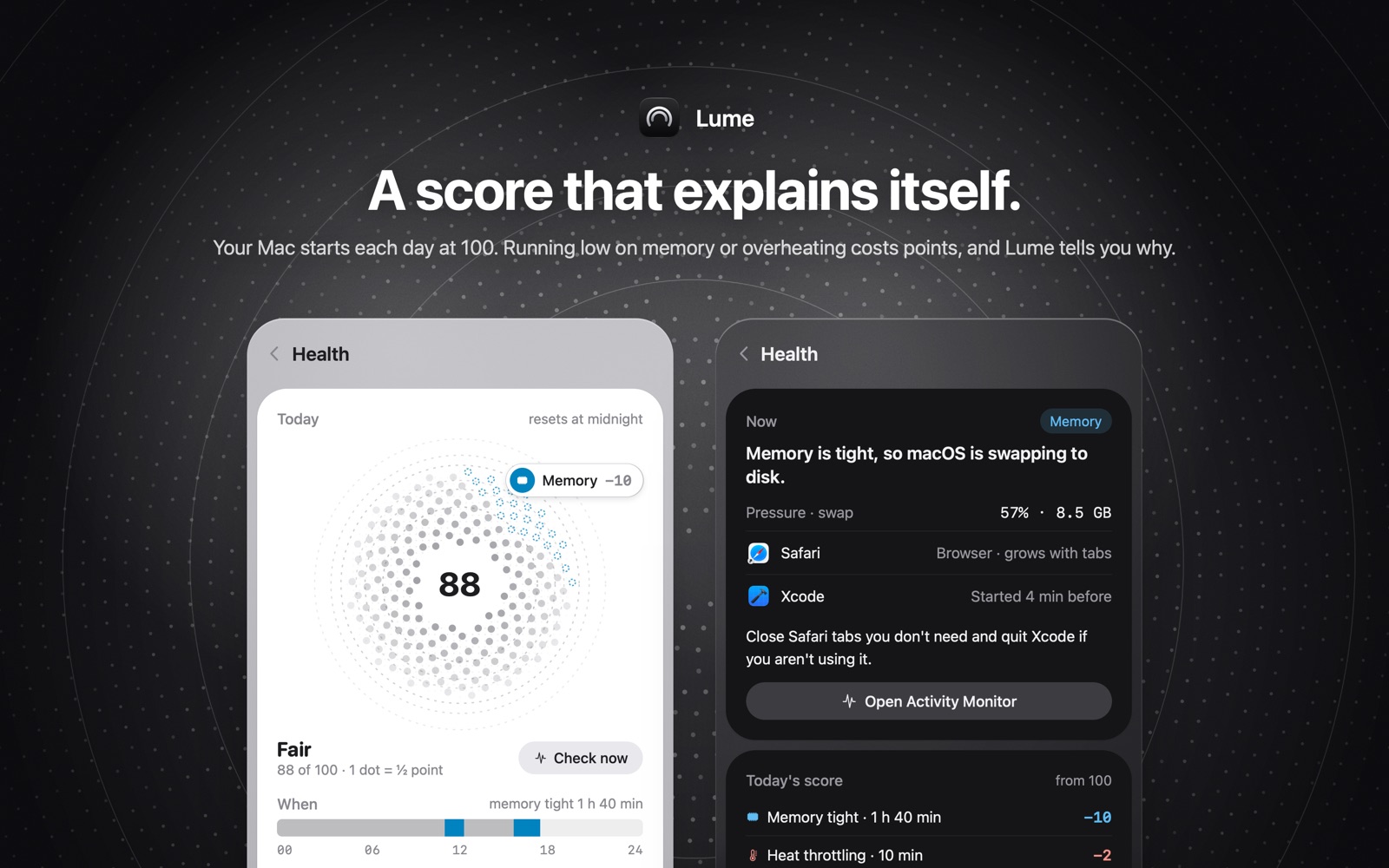
Every day starts at 100. The card shows the score, for example 96 of 100, and the points taken off by category: Memory, Temperature, Processor, Disk, Network, Battery, and Uptime. A line looks like "Network slow · 46 min −4". There is a When timeline and the last 7 days. It says which category cost points and when. It does not name an app. Only problems that last a couple of minutes count, and the score resets at midnight.
Network diagnosis
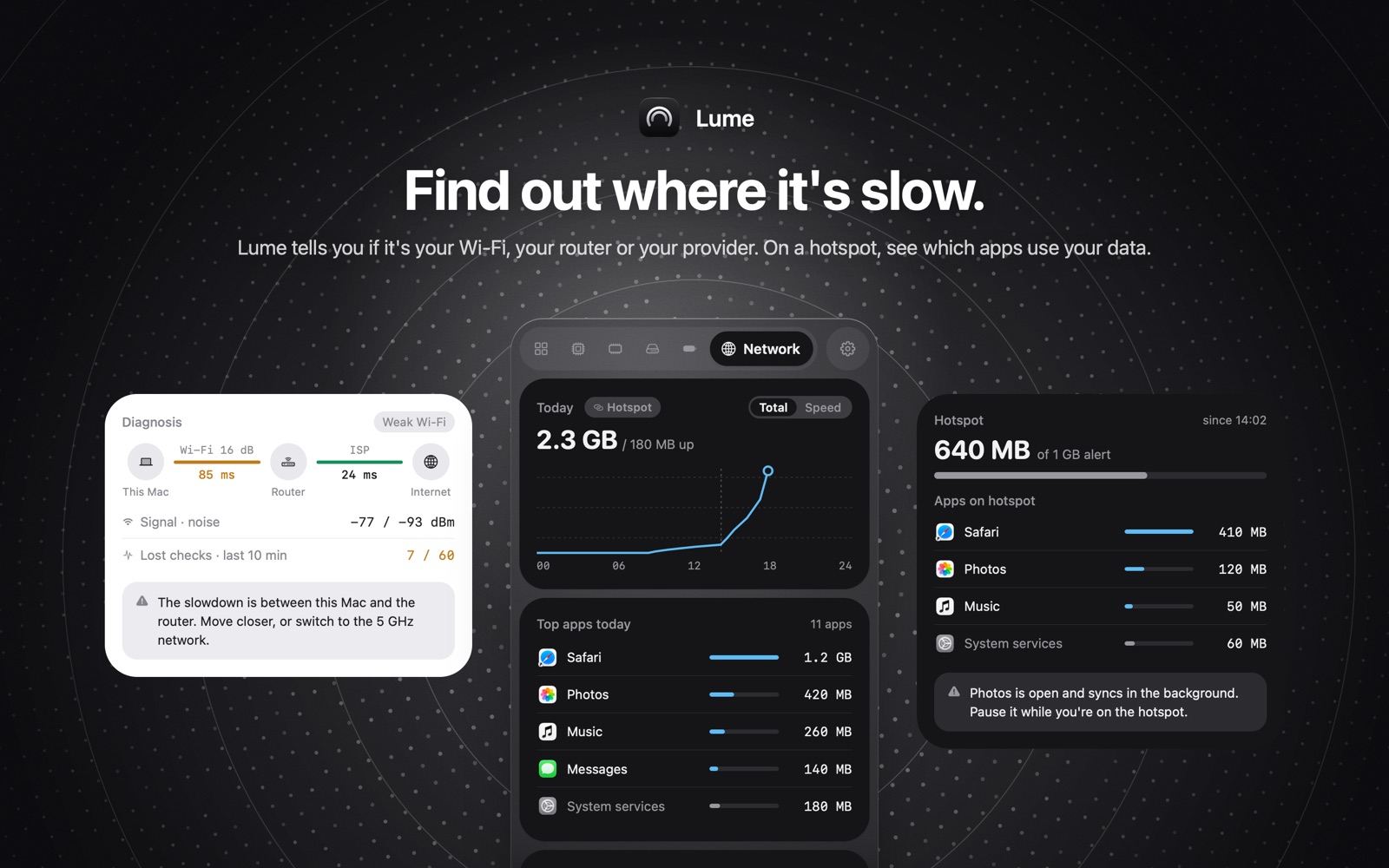
When the internet feels slow, Lume checks both halves of the trip: from your Mac to the router, and from the router to the internet. So it can say whether the problem is your Wi-Fi, your router or your provider. The free version shows today's top three apps. Lume Pro shows every app's network use by week, month or year. It also warns you before a hotspot runs past the limit you set.
Sleep report
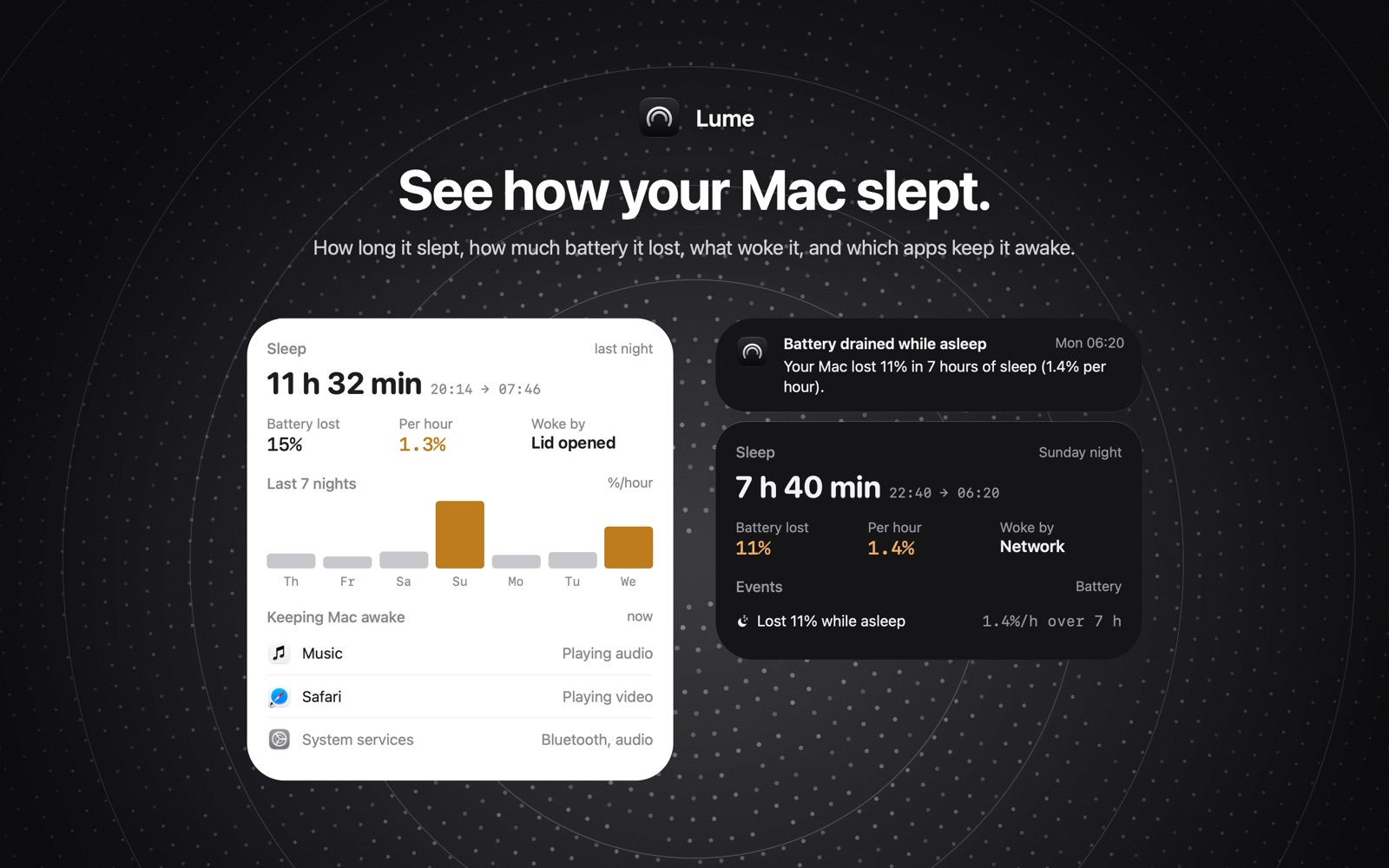
How long your Mac slept, how much battery it lost, what woke it, and which apps are keeping it awake right now.
A page for every metric
Processor, memory, disk, battery and network each have their own page. Click an item in the menu bar and Lume opens right on it.
Lume Pro
Today's numbers, the health score and every alert are part of Lume. The free version shows today's top three apps. Lume Pro shows every app's network use by week, month or year. Pro also adds a log of every outage, health and memory trends, a battery wear forecast, a disk-full forecast, and a short report every Monday. It's a one-time in-app purchase of $9.99 and works with Family Sharing. If you already bought Lume, Pro is included.
A new icon
Redrawn for macOS 26: two glass arcs on near-black.
Private by design
No account and no tracking. Your history stays on your Mac. Lume checks your public IP through ipify when the network changes, and times short connections to 1.1.1.1 and 8.8.8.8 for the network checks. At rest it uses about 1% of the processor.
Lume needs macOS 14 or later.
Why we built Lume
Those familiar with us know that we're a small product studio. Over the past two years, we've been very passionate about building AI-related products and continuously creating new products through large language models. Lume started as one of those experiments, and it reached two new milestones:
- Development time reduced to 2 hours
- Human intervention less than 10%
We used Claude Code throughout to build the main framework of the app, and had a working prototype in about 2 hours. Claude Code still had limits in design, so turning that prototype into a beautiful UI was done by hand. Even so, the pace surprised us: two years ago a first version took us a month, later two weeks.
Of course, Lume isn't just a test of what language models can do. Many system monitors are overly complex, with cluttered interfaces and a pile of settings. Sometimes you don't need all that, so we built something simple and sufficient that helps a little every day.
Get Lume
Lume is a free download on the Mac App Store, with Lume Pro as an optional in-app purchase. It contains no ads and no tracking.
Support
Questions, bug reports, or feature ideas? Reach us at support@boringboring.design or in our Discord.